I started off working on ASC CLI to store credentials in the system keychain by default for security reasons. And paranoid about security in the first place.
That works well on your own Mac, but it falls apart in a few situations: CI runners where keychain is unavailable or locked, test environments where you do not want machine-specific state affecting results, or repos where you want credentials scoped to the project instead of the user.
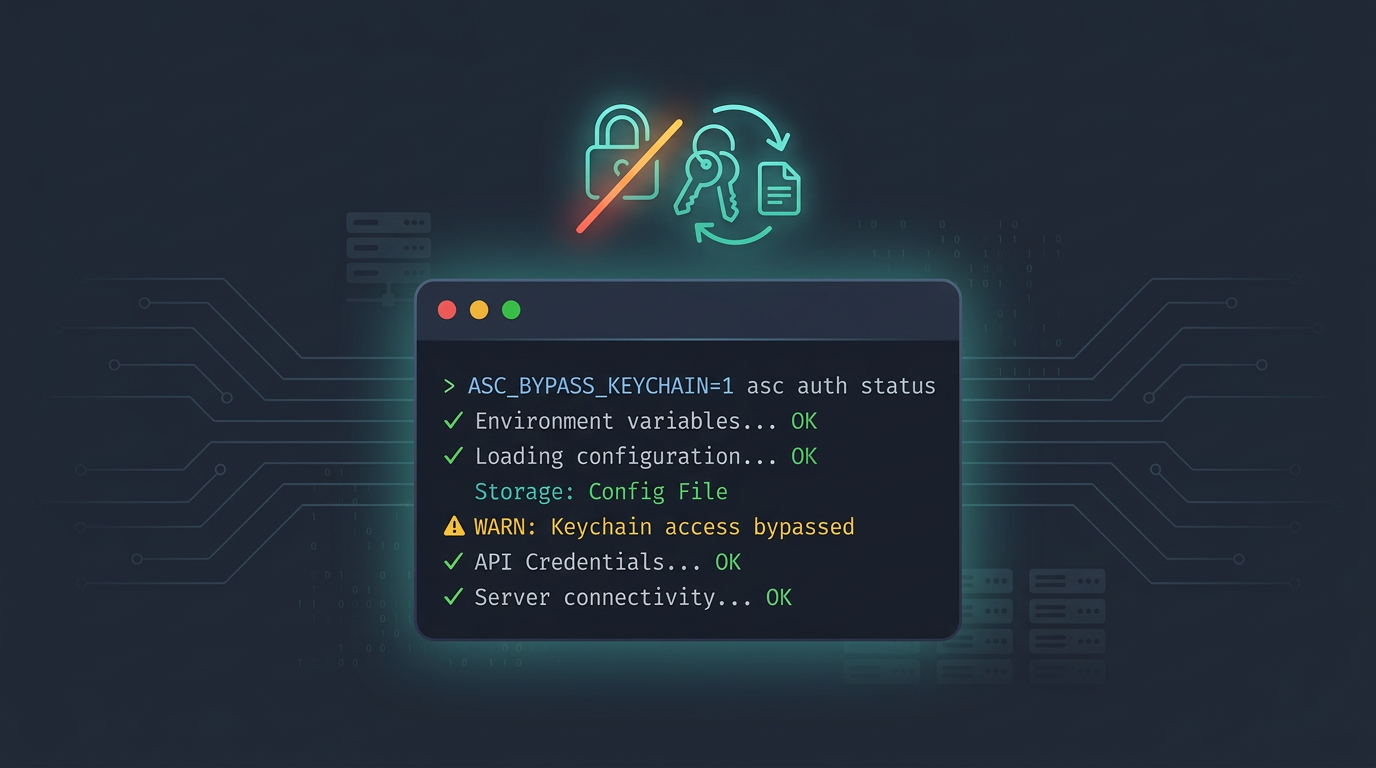
ASC_BYPASS_KEYCHAIN is an environment variable that tells the CLI to skip keychain entirely and resolve credentials from config files and environment variables only.
ASC_BYPASS_KEYCHAIN=1 asc auth status --validate
That is it. No keychain lookup, no keychain permission prompt, no hidden machine state. The CLI reads from config.json and ASC_* env vars, nothing else.
What It Actually Does
When ASC_BYPASS_KEYCHAIN is set to a truthy value (1, true, yes, or on), a few things change:
The CLI treats keychain as unavailable. It does not open it, does not read from it, does not prompt for access. asc auth status reports storage as "Config File" instead of "Keychain."
Credential listing only reads from config.json. If you previously logged in with keychain storage and then set bypass, those keychain credentials become invisible until you unset the variable.
Resolution still falls back to environment variables. The priority is config file first, then ASC_KEY_ID / ASC_ISSUER_ID / ASC_PRIVATE_KEY_PATH (or ASC_PRIVATE_KEY / ASC_PRIVATE_KEY_B64) from env.
Storing Credentials Without Keychain
If you want to log in and store credentials in config.json instead of keychain, use the --bypass-keychain flag on asc auth login:
asc auth login \
  --bypass-keychain \
  --name "MyKey" \
  --key-id "ABC123" \
  --issuer-id "DEF456" \
  --private-key /path/to/AuthKey.p8
That writes to ~/.asc/config.json. The credentials live on disk as a named entry with the key ID, issuer ID, and the path to your .p8 file.
Repo-Local Config
If you want credentials scoped to a specific repo instead of your home directory, add --local:
asc auth login \
  --bypass-keychain \
  --local \
  --name "MyKey" \
  --key-id "ABC123" \
  --issuer-id "DEF456" \
  --private-key /path/to/AuthKey.p8
That writes to ./.asc/config.json in the current repo. When the CLI resolves credentials, it checks for a local .asc/config.json first (walking up from the working directory), then falls back to the global ~/.asc/config.json.
This is useful when you work across multiple teams or clients. Each repo gets its own config with the right API key, and there is no cross-contamination between projects!
--local requires --bypass-keychain (or the env var set). You cannot write a local config to keychain since keychain is not scoped to a directory.
In CI
In GitHub Actions or any CI runner, the pattern is simple as well. Set the env var and provide credentials through the environment secrets. The below is an example for GitHub Actions:
export ASC_BYPASS_KEYCHAIN=1
export ASC_KEY_ID="${{ secrets.ASC_KEY_ID }}"
export ASC_ISSUER_ID="${{ secrets.ASC_ISSUER_ID }}"
export ASC_PRIVATE_KEY_PATH="${{ secrets.ASC_PRIVATE_KEY_PATH }}"

asc auth status --validate
You can also run tests with bypass to make sure nothing in the test suite accidentally depends on keychain:
ASC_BYPASS_KEYCHAIN=1 make test
If keychain is completely unavailable on the runner and you try to use the CLI without bypass, it will error and suggest setting ASC_BYPASS_KEYCHAIN=1. But I prefer setting it explicitly from the start rather than waiting for the error.
On Your Own Machine
I use it locally when I want to verify that my config-based setup works independently of keychain, or when I am testing how the CLI behaves without keychain access.
And most importantly, when I am working on a new feature and do not want to bother with keychain while enjoying my TV show.
If you have credentials in both keychain and config, setting ASC_BYPASS_KEYCHAIN=1 hides the keychain ones completely. Only config and env credentials are visible. That makes it easy to test the exact auth path your CI will use without leaving your machine.
The Flag vs The Env Var
Quick distinction: --bypass-keychain on asc auth login only affects that one login command. It stores credentials in config instead of keychain, but it does not change how future commands resolve credentials.
ASC_BYPASS_KEYCHAIN=1 as an environment variable affects every command. It tells the CLI to never touch keychain for any credential resolution.
If you want a fully keychain-free setup, you need both: --bypass-keychain on login to store in config, and ASC_BYPASS_KEYCHAIN=1 set in your shell or CI to keep resolution off keychain.
Happy shipping!